
Can't get new device icon to show

  • March 10, 2025
  • 4 replies
  • 0 views

Forum|alt.badge.img

Hi all, I'm trying to upload a new device icon for a custom Powerpack I'm creating (Ruckus SNMP). I've taken a screenshot of the logo as a .png.

First I tried to follow the documentation here, found a tool to convert the png to a svg, and SL shows me an error:

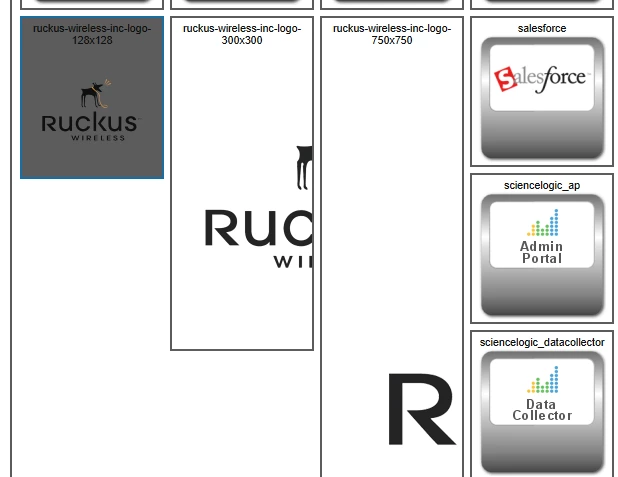
Next, I just tried uploading the png in various sizes (128, 300, and 600). All of them successfully upload, and show an actual icon the Icon browser minus that grey frame (see screenshot below). However, when I apply this Icon in the Device Class view, the device itself just shows a blank window where the icon would be. Anyone had any experience doing this?

 

4 replies

Forum|alt.badge.img
  • New Contributor
  • March 14, 2025

Do you mind posting the 128 PNG image (or URL source)? I can test in my lab to see if I can reproduce the problem. 


Forum|alt.badge.img
  • Author
  • Contributor II
  • March 14, 2025


Hi Jeff. Created SVG for you.
But the system here does not allow SVG or ZIP upload. You may use this safe link.  Logo
The link will expire on March 31. Try it and let me know if it worked. 


  • Community Manager
  • March 20, 2025

Hi Jeff. It looks like you're using the "classic" user interface (also known as "em7"), but the steps you referred to are steps for the new SL1 user interface. Try these steps to see if it helps: https://docs.sciencelogic.com/latest/Content/Web_Monitoring_Tools/Device_Management/device_classes_and_categories.htm#creating-a-new-device-category-in-the-classic-sl1-user-interface