Solved

FortiGate Sensor monitoring

  • April 22, 2025
  • 4 replies
  • 0 views

Forum|alt.badge.img

Hi All.,

We have Fortinet: FortiGate Sensors Dynamic app installed and collecting Main Power supply and Redundant power supply details. our devices have only Main power supply connected and RPS is not connected. How to ignore or suppress the RPS events. 

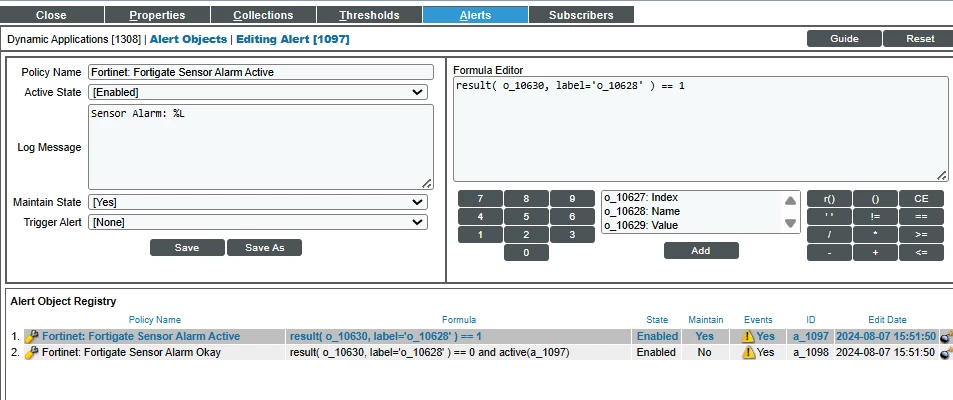
Any suggestion on Formula editor to avoid RPS events ?


Best answer by teppotahkapaa

then something like 

[the original alert formula here] ...  and o_10628.find('PSU RPS') = -1

Then it would skip those RPS alerts.

If you have RPSs in some devices then you probably need to create separate event policies for RPS an PS alerts and then suppress those RPS events from devices where you do not have those. We have done lots of those.

4 replies

Forum|alt.badge.img

is there a PS number or ID in event message? Then that could be used in event formula or using separate event policies for PS and RPS


Forum|alt.badge.img
  • Author
  • Contributor
  • April 22, 2025

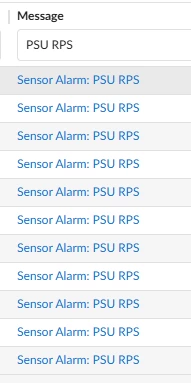
This is the event message


Forum|alt.badge.img
  • Leader
  • Answer
  • April 22, 2025

then something like 

[the original alert formula here] ...  and o_10628.find('PSU RPS') = -1

Then it would skip those RPS alerts.

If you have RPSs in some devices then you probably need to create separate event policies for RPS an PS alerts and then suppress those RPS events from devices where you do not have those. We have done lots of those.


Forum|alt.badge.img
  • Author
  • Contributor
  • May 15, 2025

We tested in our environment and it not worked and with the help of support its fixed.  Small correction need to use 2 equals ( == -1) instead of one in find. 

[the original alert formula here] ...  and o_10628.find('PSU RPS') == -1