

Widget visualization: Table vs. Configuration Table

  • January 9, 2026
  • 1 reply
  • 2 views

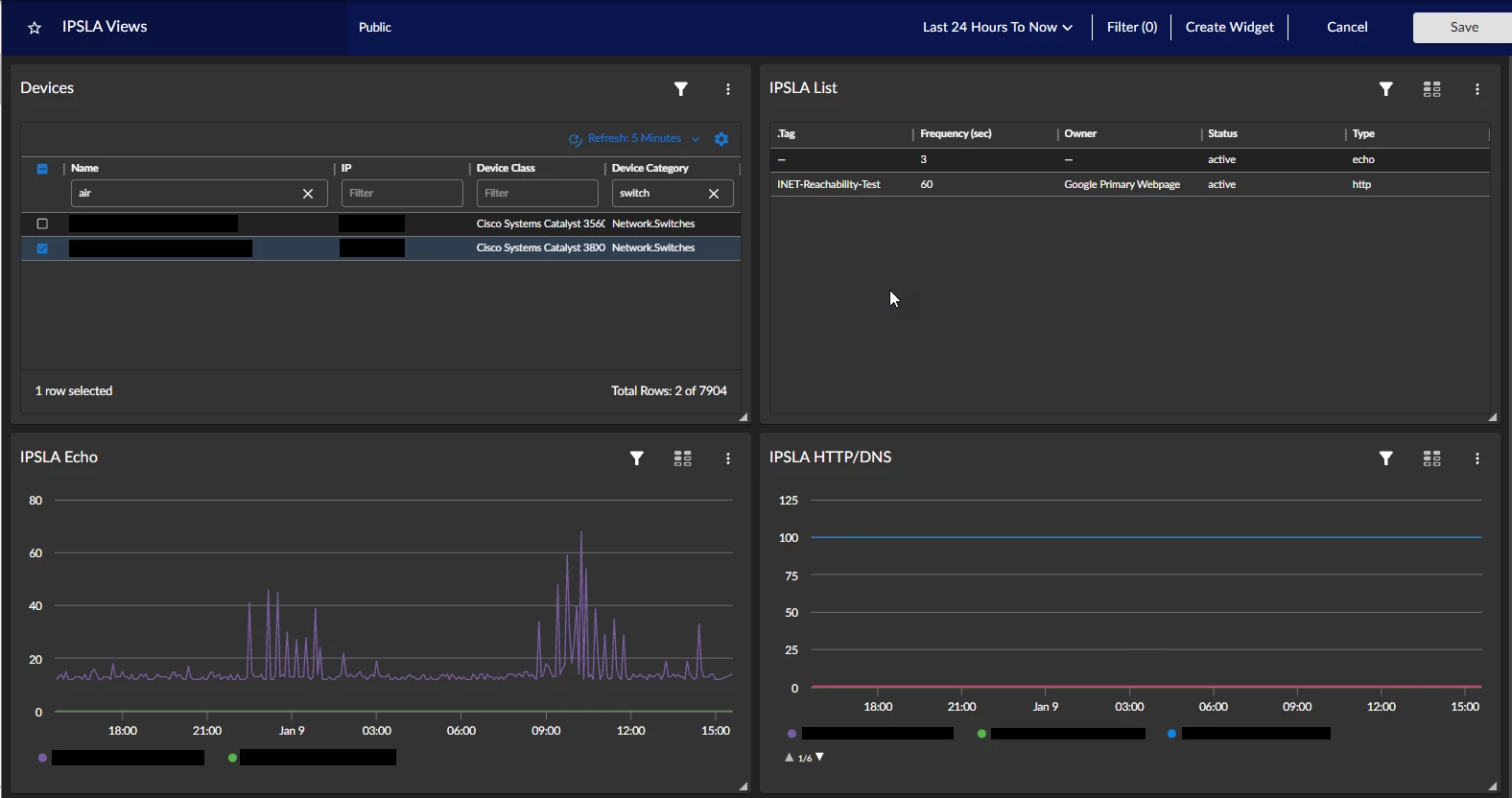
I'm working on building out a dashboard for IPSLA tests.  I'd like one widget for the devices that drives another widget showing a list of the IPSLA tests on the selected device.  I'd then like to have the widget with the list of tests drive the widget with the line graph visualization.  Should be simple, right?  The issue I'm running in to is with the widget for the list of IPSLA tests.  If I select a Table visualization, it only shows one of the tests configured on the selected device.  If I select a Configuration Table visualization, it shows a list of all of the tests on the selected device.  The problem is that the Configuration Table visualization does not support driving other widgets (like the one with the line graph visualization).

Any thoughts on how to make this work?  Thanks.
 

1 reply

I am not familiar with the particular data or structure of the data you're referencing, however, the behavior you've described regarding the difference in testing with the device widget table visualization and the device widget configuration table visualization suggests that the IP SLA data which you're collecting is multi-index configuration data (which is what the configuration table visualization is intended for, but only does so for a single device context); the device widget table visualization is capable of showing a single returned index of configuration data for many devices at once.

While difficult to tell how you may have the widgets configured in your graphic, and you may already be well aware, but multiple widgets may consume the same context. While you cannot drive another widget based a metric within a device widget configuration table, you can have a device table set device context that may be simultaneously consumed by both a device widget configuration table to display the multi-indexed configuration data for that Dynamic Application object as well as 1+N device widget line charts to display related performance data related to that device.